
Posts Tagged with “freebie”
Yotta Savings Review: All You Need To Know (plus free 100 tickets)
This is my review of Yotta Savings app after having used it for a month. I have tried to go in as much detail as possible to answer the questions I had when I first joined Yotta Savings. If you have any confusion or questions, feel free to reach out to me via the comment section below and I will get back to you.
NOTE: Yotta was a great idea and it worked well until it didn’t. Please hold off from joining Yotta until they’ve resolved the ongoing problem. You can read the news here: https://www.pymnts.com/legal/2024/yotta-sues-evolve-and-alleges-theft-of-end-user-funds/
Get free 100 tickets worth $2500 when you sign up using my referral code ANIK1 and make your first deposit. (It’s free)

What is Yotta Savings?
Yotta Savings is a FDIC insured savings account that partners with banks that don’t have bloated marketing budgets and real estate expenses. That allows them to provide 15-100 times more value on savings compared to Wells Fargo or Chase.
Here’s what’s different: for every $25 held in Yotta Savings account, you get 1 lottery ticket every week. A lottery ticket has 7 numbers. Everyday at 6pm PST (9pm EST), one random number is drawn. At the end of the week you win prize money depending on how many numbers on your ticket matched with the numbers that were drawn. For instance, 5 numbers matched = $800 prize. 7 numbers matched = $10 million prize. The prize ranges from $0.10 to $10 million, per ticket. After the week ends, you again get 1 ticket for every $25 in your account to play the new week’s game. For instance, holding $500 in Yotta Savings account will give you 20 lottery tickets every week. If you sign up using my invite code ANIK1, you also get 100 bonus tickets for free.
Their app is available on IOS and Android app stores and anyone with a US bank account can use it for free. There is zero fees involved. No fee to transfer money into or out of Yotta. Just like a regular savings account, you can make up to 6 withdrawals per month. Withdrawals take 2-3 days to process back to your connected account. The lottery prizes are deposited into the account immediately after each week’s game ends on Sundays. The monthly savings bonus is deposited at the end of every month.
In their own words by the Yotta team,
Every $25 you save into our FDIC insured savings account earns you a recurring ticket to win prizes up to $10m through weekly random number drawings.
Pick 7 numbers for each of your tickets, or have them auto-selected for you.
A random number is drawn every night at 9pm ET, with the 7th and final number drawn on Sunday night.
The more numbers you match, the more you win. Match all 7 and you win the $10 million jackpot.
No matter what, you still get paid over 2x the national average on all your savings.
You can withdraw your money at any time and your money is fully FDIC insured, so there’s no risk.
Users don’t pay any fees whatsoever. Yotta gets paid by the bank.
Is Yotta Savings Legit? Yotta Savings Reviews
 Yotta Savings is legit. It was featured on Product Hunt (backed by silicon valley’s Y Combinator). Take a look at this post for reference: https://www.producthunt.com/posts/yotta-savings
Personally I have been using Yotta for over a month now. Although I have not won $10 million yet (:D), I have won some small amounts and also received the monthly savings bonus. I am able to withdraw the amount to my linked bank account whenever I want. From experience I can vouch for Yotta that the app is real. It is definitely wise to keep your emergency savings in Yotta as compared to larger banks that don’t pay any real interest. Yotta pays interest (monthly savings bonus) and it also gives rewards (lottery winnings).
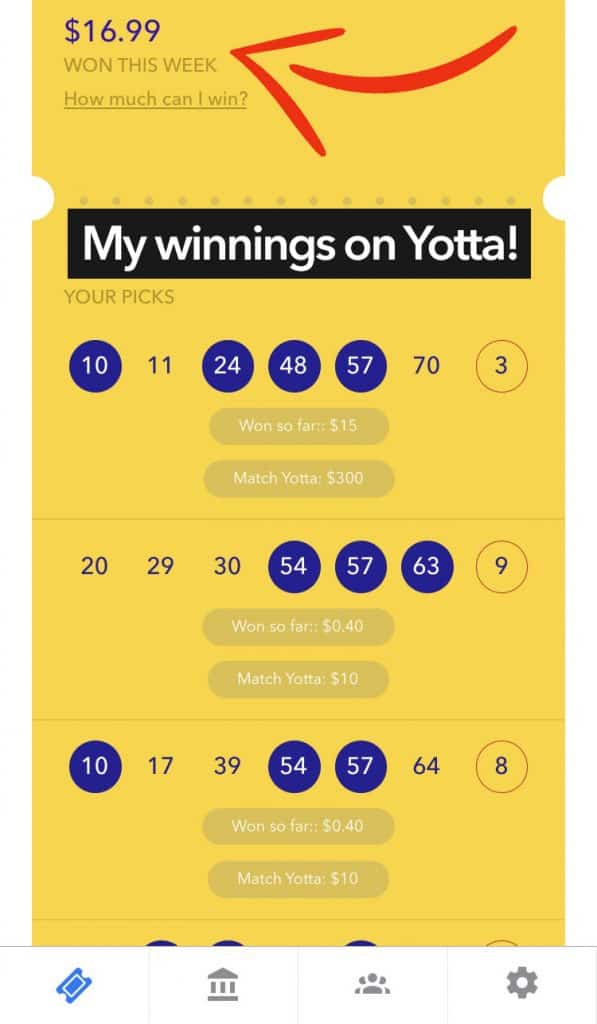
This week, one of my tickets has matched 4 numbers so I won $15 from it. And another 5 of my tickets matched 3 numbers each — $0.4 x 5 = $2. My total winnings this week = $17. The Yotta ball (red ball) is being drawn tomorrow. Fingers crossed. Check the screenshot attached 🙂
I’d like to add that their app is nice too. Simple and straightforward, you will learn how Yotta Savings works in less than 5 minutes. People have rated them strongly on the app store.

Winning Prizes on Yotta Savings App
Continue reading »
Rebatest Review: Get free Amazon products in exchange for reviews
Rebatest provides you thousands of household items on Amazon for free in exchange for product review. This is my walkthrough guide and review of Rebatest. You’ll be able to make the most of Rebatest once you read through this short blog post.
Sign up on Rebatest today and start getting free products in exchange for reviews!
Freebies in exchange for user reviews
Internet is full of website and platforms where small businesses provide discounts in exchange for user feedback. Sometimes the discount is minimal, or are limited time coupons. Sometimes the products are totally free. Sellers do it primarily to test the market and to gather honest user feedback. Feedback is the key to improving the products they are planning to launch.
What is Rebatest? Is it legit? Yes, it is.
Rebatest is a fairly recent Amazon products testing website which gives you products to review for free. Please note that you won’t be making extra money on Rebatest — you will however get products for free. 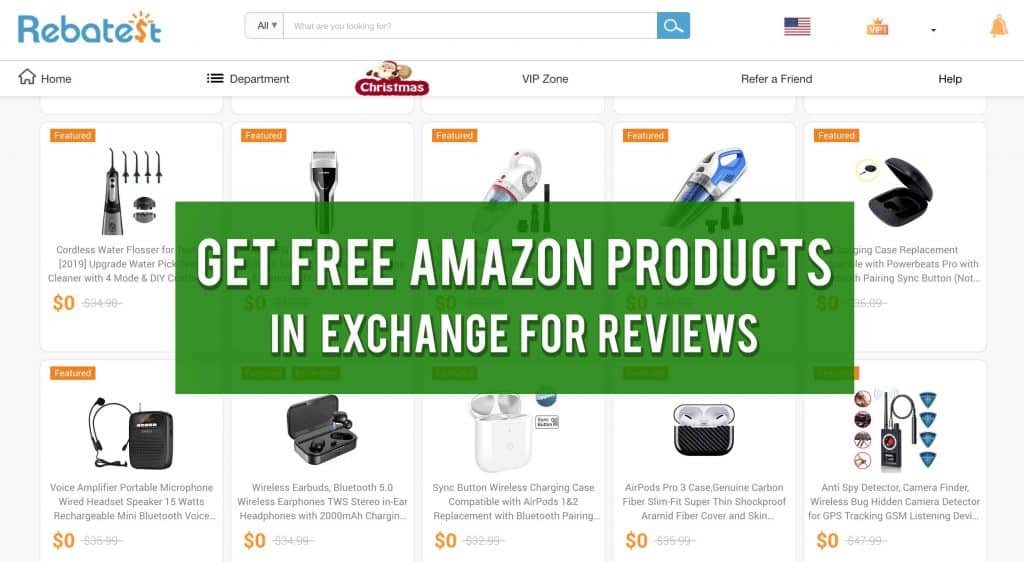
The way in which this site is different compared to various others is that here, you apply to test the product. When that application is approved (usually it gets auto-approved), the cash balance is credited to your Rebatest account. You then buy the product on Amazon as usual. When you provide the Amazon order number and upload purchase receipt on Rebatest, the cash balance there is unlocked to be refunded to your Paypal account. The process is simple.
I have gone through the whole process and I confirm that Rebatest is a legit platform. I actually like the products they have there compared to several competitors who are also in the same business.
Getting started. How to get products for free on Amazon?
First, you have to sign up on Rebatest.
Second, pick a product you like and click on “apply now”. You can filter products based on category, price range and time when they were posted on the site.
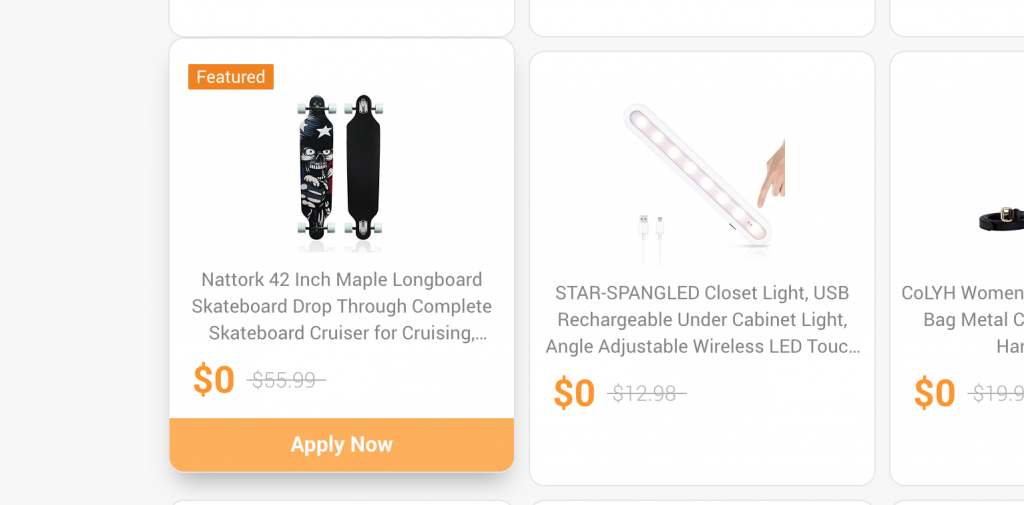
Once you are approved by the system, you can buy the product on Amazon. You have 4 hours to buy the product and upload the order number on Rebatest otherwise the item is released from your queue for other users to apply. After you buy the product on Amazon, paste the order number on Rebatest for the seller to verify. This usually takes a day. Once the order is verified, the amount spent on buying the item will be added to your rebatest account. Wait for the shipment to arrive from Amazon. Submit your review of the product on Amazon and post the same (or similar) review on Rebatest. Once you do these things, the amount is then unlocked for cashing out through Paypal. There is no minimum threshold for cash out — you can cash out anytime you want.

New members are limited to reviewing products on the front page. Once you complete your first review, you become a VIP member. VIP members can review exclusive products — those with “featured” tags on them. VIP products are usually expensive and fancy (> $30, which is refunded of course).

Rebatest has done interesting thing with the “required points” system. Points are earned by doing usual activities on the site. For instance when you sign up and link Paypal and verify email, you end up with almost 2500 points. I like the points system because this is key to stopping users from abusing the system. It also incentivizes you to use the site the way it is designed to.
How to rack up reward points on Rebatest?
Rewards points can currently be earned for the following actions and these points are added to your Points Balance:
- Registering on the site — the first time when you register on this site you will be able to earn 1000 reward points.
- Subscribing to a newsletter — earn 300 points when you subscribe Rebatest newsletter for the first time.
- Update username for the first time to earn 500 reward points.
- Add your phone number for the first time to earn 500 reward points.
- Add Amazon profile link for the first time to earn 500 reward points. (only 3 times modification)
- Daily sign in on the web — everyday when you login this website for the first time you will get 10 reward points.
- Share on social media — earn 10 reward points for sharing a product on social media platform.
- Refer a friend to register — earn 10 points for every invitation you send out which leads to friend registration.
- Converting invitations to order — earn 500 points for every invitation you send out which leads to an order.
- Leaving a fair review on amazon – earn 200 points for every review you left on Amazon.
Getting the refund from Rebatest

There is a 4.4% transaction fee by Paypal plus 30 cents per transaction. Hence in this case for the 2 products I purchased and reviewed which were worth $23, I got $21 back in my Paypal. Since this is an international transfer, Paypal also charges small fee on the receiving side. All things considered, in the end I got $20 refunded to my Paypal account.
Payment Proof on Paypal
The payment was processed within 12 hours in my case. It was sent by Suteng Technology which seems to own Rebatest.
 Here’s my activity on the site so that you can understand how the reimbursement works for Amazon products.
Products reviewed – 2
Amount spent to buy the products – $23
Amount refunded in Paypal – $20
Conclusion
Rebatest offers me the opportunity to buy Amazon products at 100% discount (I only pay for sales tax and Paypal transfer fee). These are some of the items on Amazon which I would have bought anyway if I had to. The best part is that Rebatest has thousands of items to choose from. Users are free to buy all of them if they choose to. Sane people like me would only really place orders for things they actually need.
In my case, I just placed my third order through Rebatest for a guitar stand and pick. Would I have bought the guitar stand without Rebatest? Most probably yes! Except maybe I would have bought it from a different seller because Amazon likes to show most reviewed items at the top of the page. Because of Rebatest, I chose to buy the guitar stand from a specific seller. And I am getting full refund by the seller on the item just in exchange for my gratitude and an honest Amazon review. In the eCommerce world where some people like to buy all their products online, Rebatest looks like a heavenly platform. You pick the item you want, get full refund for whatever you pay, and leave behind an honest review for fellow shoppers on Amazon. I think that is a great concept!
Sign up on Rebatest today and start getting free products in exchange for reviews!
Update: January 9, 2020
I have tested 17 products thus far. At the time of this writing, 4 more are on the way. I like Rebatest and have already onboarded my close friends on it. Should my thoughts change, I will update this review accordingly.
If you have any questions or feedback, let me know what you think of Rebatest in the comment section below!
How To Get Free Magazine Subscriptions (Lifehack Tutorial)
TL;DR Here’s how to get free magazine subscriptions like Time, Wired, Forbes, Entrepreneur, Esquire, People, etc. I’ve been doing it for years. You should too!
Hey guys, it has been a long time and I haven’t written anything for this blog in months. So to make up for that, I came up with this idea to teach you how to score free subscriptions to really popular magazines like Time, Wired, Forbes and more! Make sure you read this post and let me know in the comments section below if you have any questions.
How I Get Free Magazine Subscriptions
About an year ago a friend of mine showed me really expensive magazines. Some of them costed beyond $200 per year in subscriptions. I was curious why he would buy all of that. He told me he did not buy them; he got them for free by filling out online surveys using his least used (or dummy) email address. One day we sat down and he made me sign up on a few websites which let me take quick 2 minutes multiple choice surveys. In exchange, they gave me credits which could be redeemed for magazine subscriptions.

Best Part: Anyone Can Do It
The coolest part about this lifehack is that anyone can do it as long as they have a US mailing address, a phone number (use smartphone app called TextNow to get a dummy number), a dummy email address, and a one-time 30 minutes of free time.
Continue reading »